
Sign up for dispatches from our public workshop
How we built it: Cleveland Police Discipline
The nuts and bolts behind Cleveland Police Discipline: Documenters enter the records, a model writes the summaries under strict rules and a light, offline-capable site borrows Signal Cleveland's look.
November 4, 2026 · David Eads · Edited by Tory Lysik
Leer en español →Our recent essay, ”Humans report, AI remixes,” covers the thinking behind our Cleveland Police Discipline lookup tool. This companion covers how it works: data entry, the AI pipeline, the frontend and the pieces that make it feel like part of the Signal Cleveland website, even though it runs entirely outside Signal’s content management system.
Data entry: people, not scrapers
Cleveland Documenters read the disciplinary notices the police department publishes as PDFs. The notices describe what happened at each hearing.
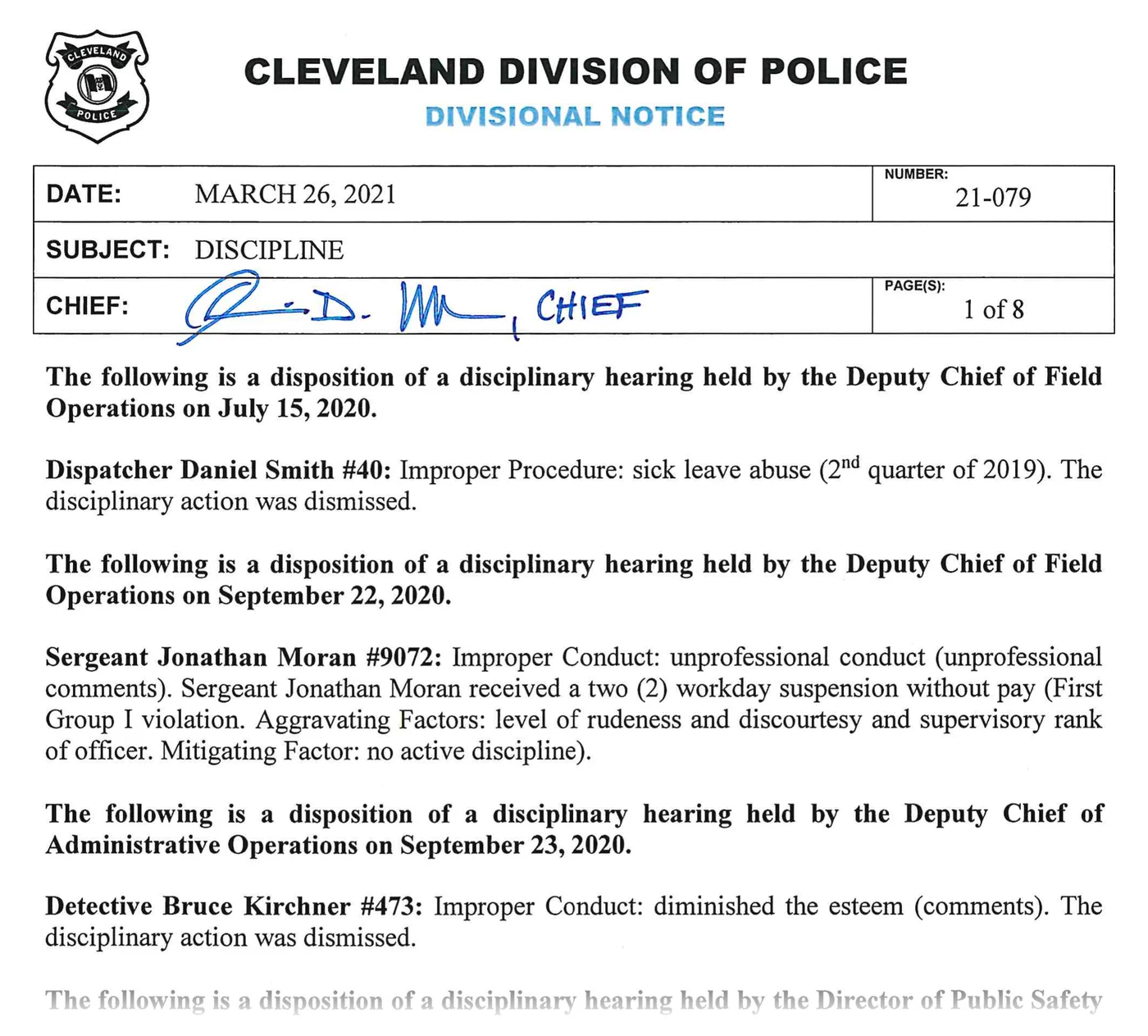
Documenters keep data entry simple. For each case, they pull the key elements into Airtable: the officer, the hearing date, the text describing the charges and the outcome, and the type of action. They link the case to the officer and the source document, broadly categorize it and move on to the next one.
AI could have done the extraction, too. We could have vibecoded a scraper for the notices’ unstructured text, but making it reliable would have taken expensive engineering hours, fussy QA and a lot of tokens. The project started just as LLMs were taking off, so AI wasn’t a real option until we were well into it. When we revisited the question earlier this year, the cost came out about the same as paying Documenters.
Scale matters, too. With very large data sets, automation is sometimes the only way, and the payoff is worth giving up the human involvement. At about 1,800 records, people were the better choice. They handle strange edge cases readily, and the pipeline downstream gets clean, predictable input: less mystery data to debug and fewer special cases to code around.
The AI pipeline
A data refresh script pulls the cases from Airtable and sends each one to OpenAI’s GPT models for three jobs:
- A summary. The model rewrites the notice as a short paragraph about the outcome, followed by lists of the charges and of any mitigating and aggravating factors. The prompt says the summaries are “meant to be read on a website and on small screens without sacrificing accuracy or dumbing down language.”
- A title. One line that leads with the discipline imposed, such as “Written Reprimand for Improper Search and Seizure Procedure,” with acronyms spelled out.
- A classification. A small JSON object with the outcome (guilty, not guilty, dismissed or unknown), the severity group, whether the employee was fired and the discipline imposed. The outcome and firing fields feed the “At a glance” box on each officer’s page, and all four go into the CSV exports.
The rules in the prompts do a lot of the trust work:
- Stick to the text. Summaries are limited to what the notice explicitly supports. When a notice calls something a “first” or “second” offense, the summary attributes that to the notice (“According to the divisional notice, this was treated as a first Group I violation”) instead of asserting it, and the model never counts offenses on its own.
- Severity has to be named. The model assigns Group I, II or III only if the notice literally says so. The prompt tells it: “Do NOT infer or guess a group level from the type of discipline.” Non-disciplinary actions are “unknown” by rule. As a result, nearly a third of cases have an unknown severity, and that’s on purpose.
- “Fired” means fired. Resignations, retirements and failures to appear don’t count as terminations. Only an explicit firing does.
- Domain knowledge goes into the prompts. When an officer resigned while charges were pending, the title leads with “Resigned,” not “Dismissed,” even if the charges were later dropped. That rule came from people who had spent time in the records.
- Dates come from structured fields first. For terminations, the pipeline uses the hearing date, the report date or Airtable’s termination date. Only when all of those are missing does it try to pull a date from the text, first with simple pattern matching, then with a model told to “be conservative; do not guess uncertain dates.” If it isn’t confident, the date stays unknown.
- House style. AP style with no Oxford comma, past tense, third person and no divisional notice numbers. The glossary handles rule references.
Safeguards around the model:
- Checked summaries stay put. Each summary is generated once and kept, so a data refresh doesn’t quietly rewrite something a person already checked.
- Classifications rerun only when the text changes. The cache is keyed by a hash of the case text, with glossary links stripped out first, so editing the glossary doesn’t send cases back to the model.
- If the model fails, you get the original. When a summary can’t be generated, the site shows the original notice text instead.
- People check the output. We cross-check nearly every summary against the original records before it’s considered done.
Sharp readers will notice we didn’t name a model. We switched as newer, more capable versions came out, and each one needed less editing and less prompt engineering. The older ones worked fine, and we checked results as we went, so different summaries were written by different models, depending on when each record came through.
A fast, offline-capable frontend
The site is built with SvelteKit. On the first visit, the browser downloads the whole dataset (officers, cases, summaries and the glossary) as a couple of JSON files. After that, everything happens in the browser, and the data never comes from a live database:
- FlexSearch builds a full-text index in a web worker, so search never freezes the page.
- Navigation and search are instant.
- A service worker caches the site and its data.
Once it’s loaded, the site keeps working without an internet connection. That’s useful if service drops during a protest or another big event where police are present, and just as valuable in one of the least-connected big cities in the country.
Hosting stays simple, too. The site runs on AWS (S3, CloudFront and a small Lambda function, deployed with SST), and pages are cached at the edge. There’s no database to scale, and if Airtable has a bad day, the site keeps working. That’s a good fit for small newsrooms that can’t take on maintenance debt or drop everything for a server crisis.
Integration with the parent site
The site lives on a Signal Cleveland subdomain and is designed to feel like part of the main site, which runs on Newspack:
- The data lives outside Signal’s CMS. The refresh script writes plain JSON and CSV files, so publishing new data is a refresh and a deploy.
- A small API endpoint reads Signal’s homepage and pulls out the pieces of its header: the logo, the Trending and social links, the Newsletters and Donate buttons, and the section menus, which sit behind a menu button on phones. Responses are cached at the edge for up to an hour. If Signal’s site can’t be reached, the header falls back to the last copy the browser saved, or to a minimal built-in version.
- Separate staging and production deployments let editors review new data and features before they go live.
- Analytics are shared with the parent site, so the discipline site’s traffic shows up in Signal’s regular reports automatically.
The homepage endpoint does most of the work of making the site feel like Signal’s. It’s effectively a tiny, aggressively cached scraper: it pulls key elements from the parent site, turns them into proper data structures and hands them to templates that match the parent site’s look and feel without being identical.
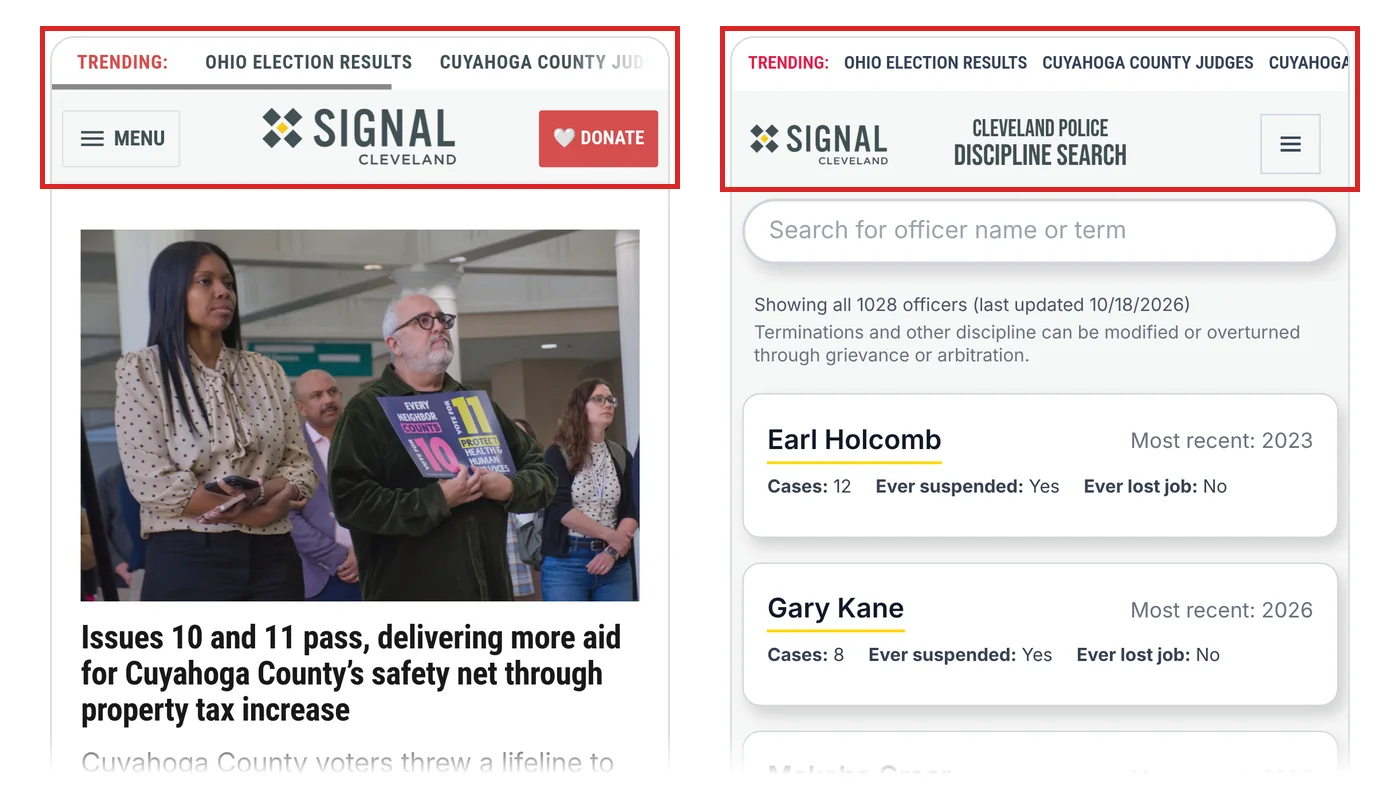
The tradeoff is that a major redesign of the parent site could break it. That’s a minor concern: Signal’s design is quite stable, and a radical redesign would mean updating this site anyway.
Because the data is plain files, the parent site could pull the same JSON for SEO snippets or related-content widgets without touching Airtable. If we move off Airtable later, the contract stays the same: build the JSON once, ship it anywhere.
A glossary system
Disciplinary notices are full of jargon: “Group I violation,” “letter of re-instruction,” “wearable camera system (WCS)” and “mitigating factors.” The glossary, maintained by editors in Airtable, has about 80 published entries. Each entry has a term matcher, a regular expression that tells the pipeline how to find the term in case text:
- Matchers are combined into a single case-insensitive pattern.
- Longer patterns are tried first, so a specific term wins over a shorter one that overlaps it.
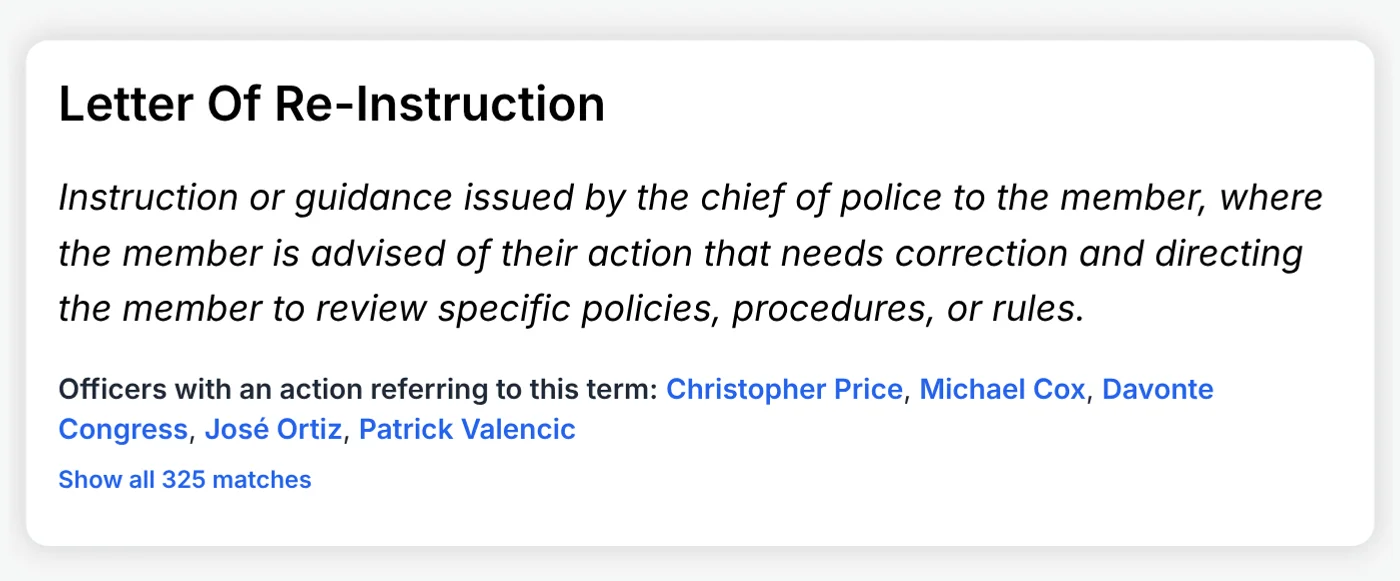
- Matched terms become links to their glossary definitions, and each match is recorded by officer and case.
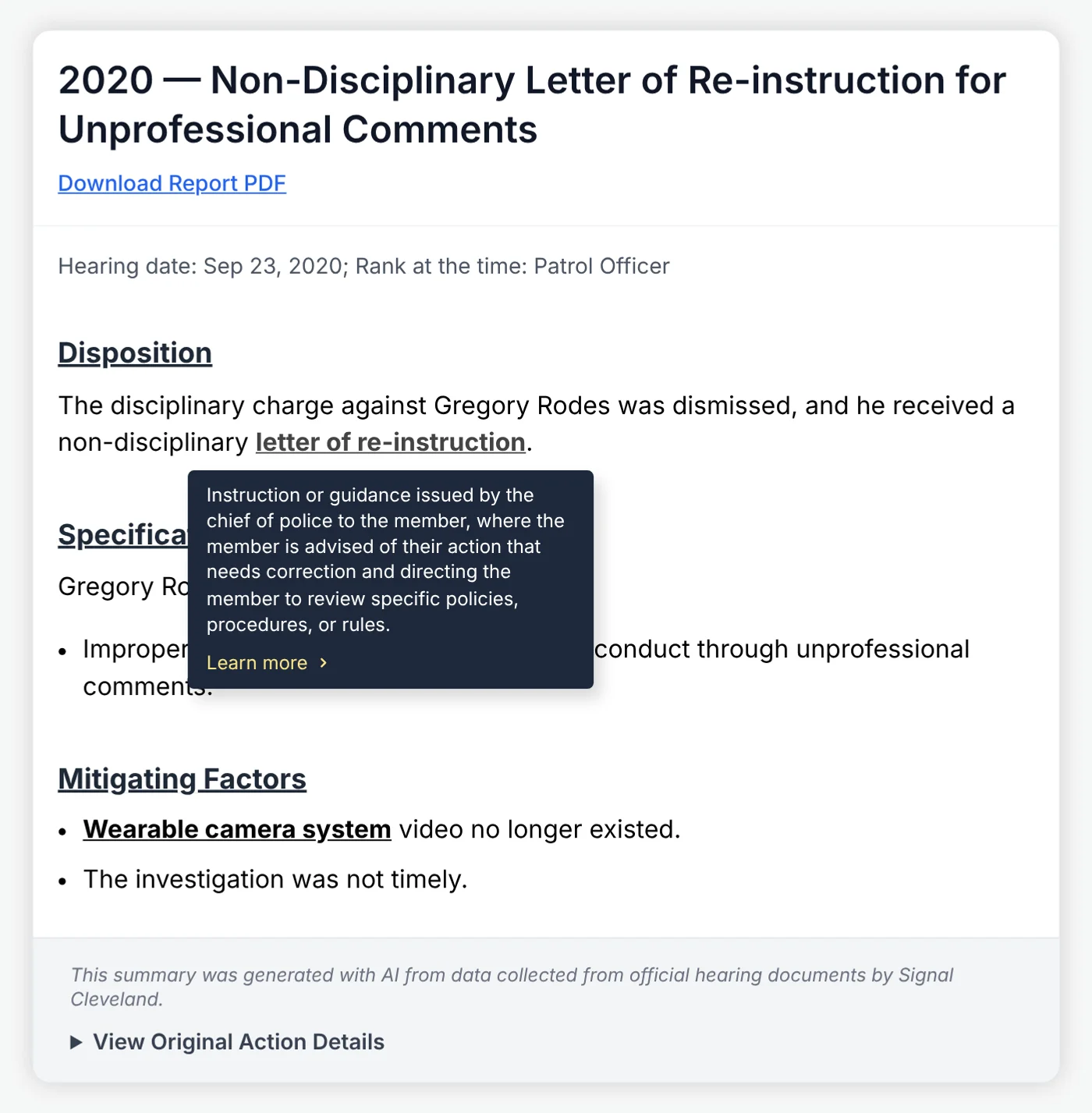
This keeps the reading experience approachable and gives reporters a quick way to see where key terms appear across the dataset. Because matches are recorded per case, you can ask questions like “how often do body camera issues come up?” without re-reading every PDF. (The wearable camera system shows up in the records of more than 300 employees.)
It also lets readers do some investigating of their own. Many people come to the tool to look up an officer, but each glossary entry links to every officer whose cases mention that term, so readers can follow an issue that matters to them across the whole dataset.
Structured data for further investigation
Every data refresh also writes analysis-friendly files, and they’re public:
- officerData.json: officers, cases, summaries and glossary links. It’s the same file the site uses.
- officer-actions.csv: one row per case, with the type of hearing, outcome, severity group and whether it ended in termination.
- officer-actions-categorized.csv: one row per glossary term per case, for counting how often specific rules or issues come up.
Reporters can filter, pivot and join these in Excel or a script without an Airtable account. The CSVs make it easy to spot patterns: who lost their job, which cases reached Group III and so on. And because the JSON is the same file the site uses, any data problem is visible to readers too. There’s no gap between the “analysis data” and the “site data.”
More than search
A few other features came out of working with Signal editors and Documenters:
- Appeal and arbitration outcomes appear in the officer’s case history, so you can see when a firing was later reduced or overturned.
- Officer pages link to source documents such as charge letters, though we weren’t able to reliably match every document to a specific case.
- Search queries are stored in the URL, so you can share a link to a set of results.
None of these pieces is exotic: a spreadsheet, a few carefully written prompts, a lightweight site and a lot of human reading. Together, they turn records that were public on paper into something people can actually use.
Sitting on public records that are hard to use? We build pipelines, lookup tools and explorers like this one. Tell us what you need built.
Sign up for dispatches from our public workshop