
Sign up for dispatches from our public workshop
How we turn live data into a shareable video, automatically
Take the shortcut: how a hidden web page and a GitHub Action turn fresh data into shareable video.
June 26, 2026 · David Eads · Edited by Tory Lysik, Ash Ngu
Leer en español →In a previous post, we shared some of our theories on how to get more out of your website, and now we’re going to show how you can do it yourself. We’re going to keep it high level and describe the workflow so that you can build it yourself with your favorite tools or describe it to an AI coding robot.
Let’s start with the problem: I don’t like making video! I do it sporadically, but it’s not something that’s habitual or natural, and probably never will be for me. We’re talking about the person who the great Ari Shapiro once jokingly (and correctly) said had a voice for software engineering. It’s like a face for radio, but worse.
I might not have a knack for audio or video, but I am decently good at engineering, and know that sometimes the trick to scaling isn’t more effort, but better automation. What if we could turn our assets into video automatically and stage it for publishing on video platforms? We already have all the ingredients to do it: there’s data that updates every few days along with an animated map and charts on our site.
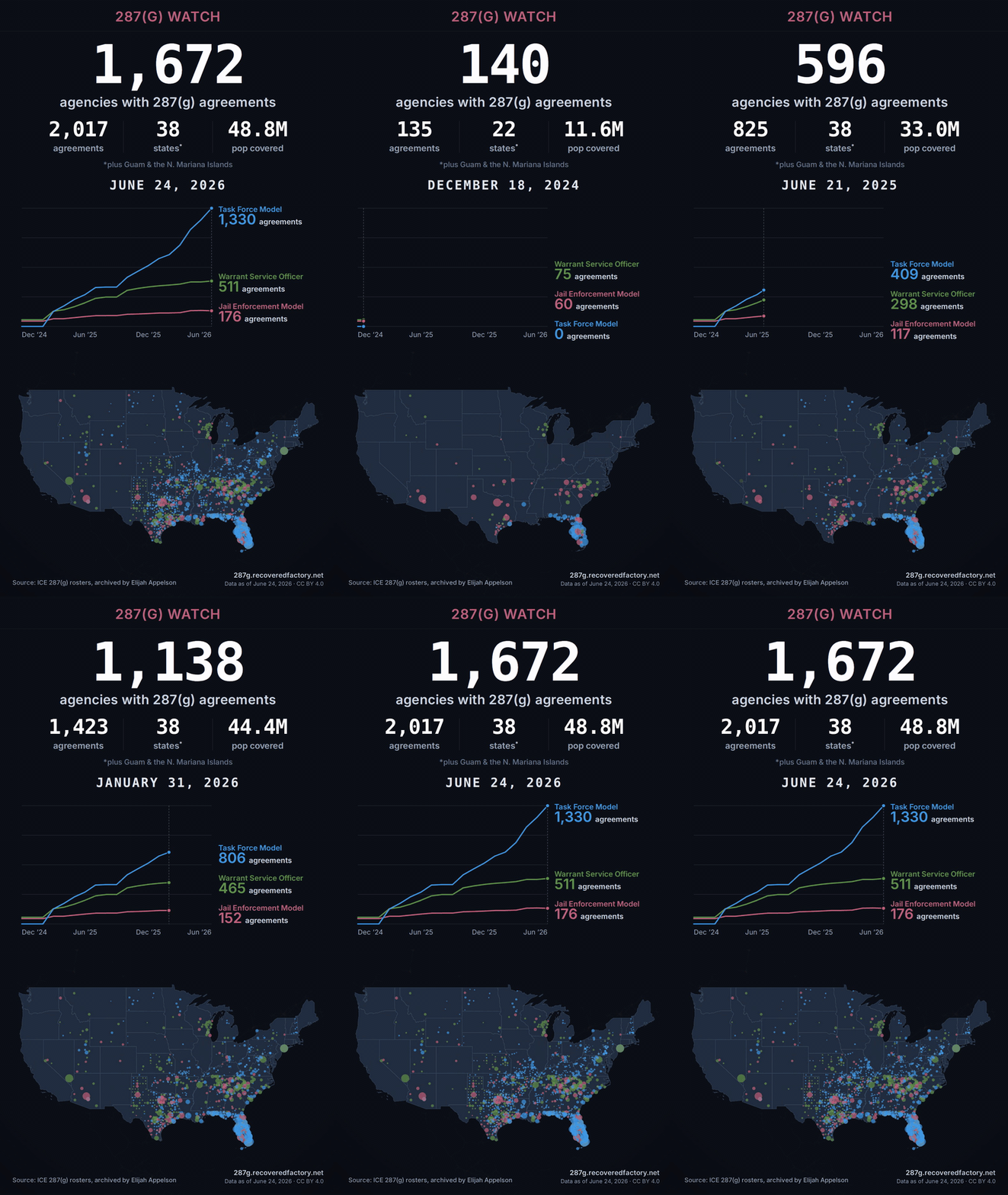
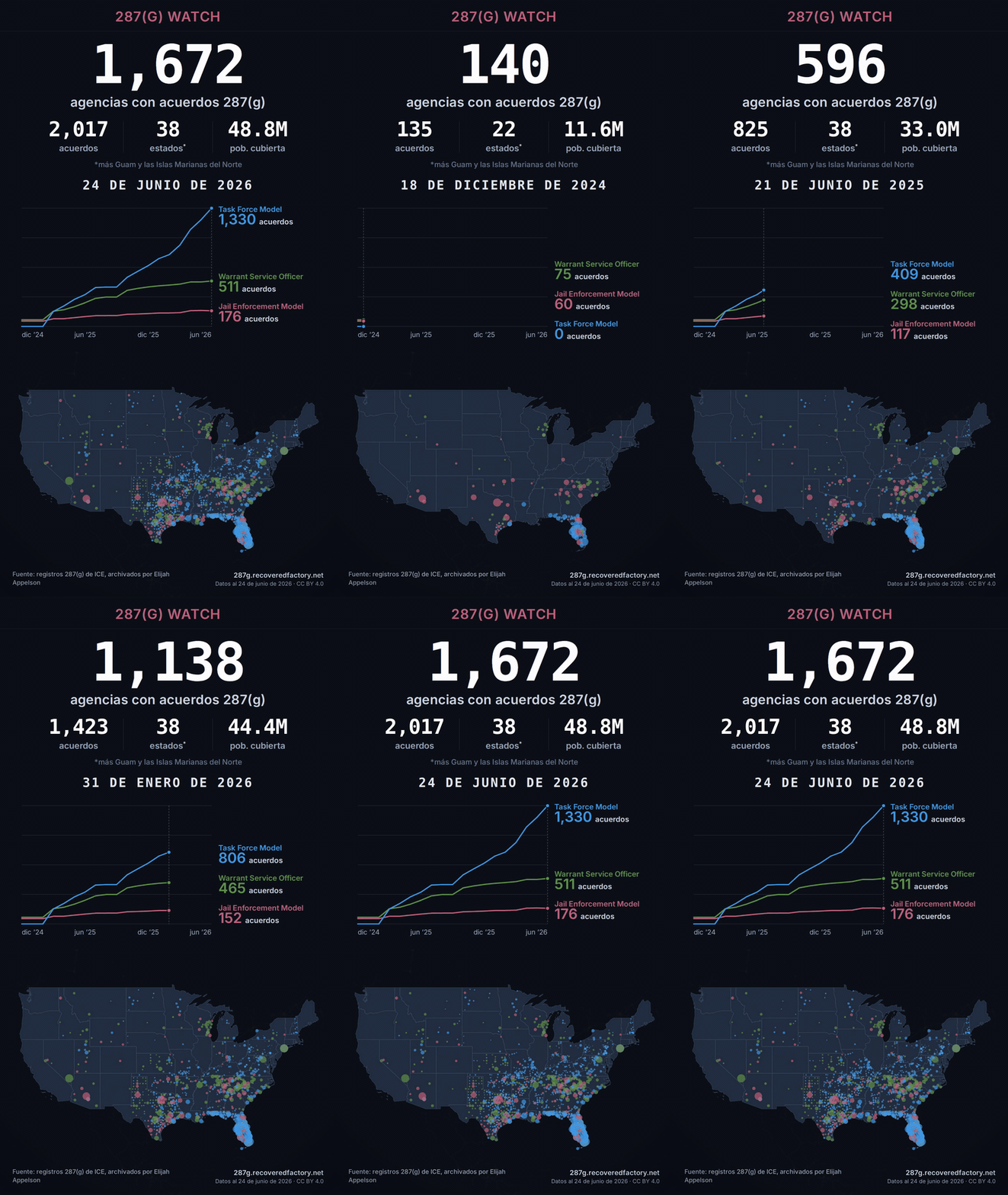
That forms the core of a fundamental shortcut we’re using to generate social video: A web-driven “asset bakery.” The asset bakery, data pipeline, and frontend for this project are open source if you want to go deeper.
The trick: the video is a web page
Web browsers have been able to do pretty sophisticated timeline-based animation and motion effects for some time now. Combined with increasingly mature technology to run “headless browsers” — web browsers that are invisible to a user but can be “seen” by a computer — we don’t need video editing software at all.
Our “video” is really just a hidden page on our website. It’s a purpose-built screen, sized for the tall 9:16 shape you see in Reels, Shorts, and TikTok. This custom page stacks the things we want on camera: a headline, the big agency count, an animated chart, the national map, and a small credit line. These are the same things that are on the live website.
Then we record it frame by frame, by driving an invisible browser with Playwright, a browser-automation library engineers normally reach for to test web apps, and stitch the frames together with ffmpeg — more on exactly how below.
Previewing and debugging is easier: We can open the page in a browser, scrub it back and forth like a video, and design it the way you’d design any web page. Similarly, it inherits the site’s multilingual framework: We can capture videos for every language we support.
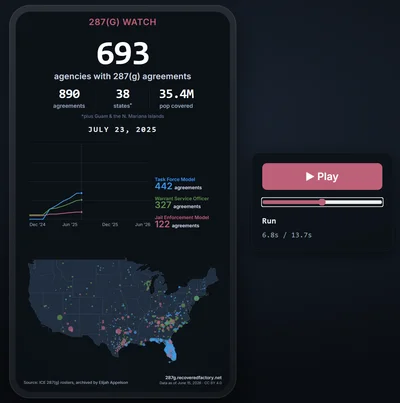
A storyboard, written as a tiny script
A single short file describes the timing and transformations, like a director’s shot list: hold on today’s totals for a beat, fade to black, jump back to December 2024 (where the data starts), then run forward through eighteen months of growth, and settle back on today. The whole thing is just a handful of named beats with durations: a 1.5-second hold on today, a 0.7-second fade, a 1.5-second hold on the December 2024 start, etc., which all builds up to a roughly fourteen second clip.
Everything on screen — the chart drawing itself, the map dots appearing, the counters climbing — is tied to one moving “playhead,” a controller that ensures all components render correctly at a given timestamp, so nothing ever drifts out of step. The playhead architecture is critical for the next trick as well.
“Baking”: filming the page frame by frame
To turn that page into an actual video file, a script opens it in a headless browser — an invisible, windowless, automated browser. We drive it with Playwright; we’re just using it to capture images rather than run tests. The engine underneath is Chromium, the open-source core of Chrome.
When I first started trying this a few years ago, I figured I could just virtually click “play” and run screen-recording software to capture the result.
But I was wrong. Screen-recording in real time can stutter or drop frames, and that behavior can vary from system to system, run to run. Something that runs smoothly on your local machine can misbehave on cloud hardware that’s ostensibly far more powerful. In one test from my early experiments, rather than hiccuping, a video captured this way occasionally ran at hyperspeed for reasons I was never able to pin down.
We want something more reliable and less sensitive to the computing environment, so instead we methodically make a flipbook.
That core “playhead” architecture allows us to tell the page, “show me exactly what you look like at 0.04 seconds,” then take a screenshot. Then we move 0.08 seconds, take another screenshot, and go through that cycle a few hundred times. Because we’re hand-cranking a frozen page forward and taking our time to capture each frame, every image is rendered fully and correctly — the computing environment doesn’t enter into it.
The result is deterministic and testable: run it twice, you should get verifiably identical frames. The screenshot images it dumps are a valuable asset on their own. It’s also easy to reason about: Double the frames, roughly double the compute time required to render and space required to store.
A few hard-won details make this run reliably on a plain server. The full details are in the open-source release; a couple are worth calling out here:
- Drawing the map without a graphics card. The national map uses MapLibre GL JS, which paints with WebGL code that normally expects a GPU. Our servers don’t have one, so we tell Chromium to render using software instead. It’s slower than real graphics hardware, but it runs on almost any platform at the same quality.
- Cheap frames. We save each frame as a JPEG rather than a PNG. PNG encoding is the slow part of taking a screenshot, and the video looks identical either way — so it’s a free speed-up across a few hundred frames.
- Keeping a browser happy inside a container. Headless browsers need a handful of unglamorous flags to run reliably on a bare server. Consult the repo for details.
Those few hundred still images are then stitched into an MP4 and a looping GIF by ffmpeg, the open-source workhorse of video processing.
Automation
All of this is wired into our automated data pipeline, which runs as a scheduled GitHub Action. A few times a day, we check to see if the data has changed.
If fresh data lands, the job rebuilds and redeploys the site, bakes all four cuts — square and vertical aspect ratios, English and Spanish — and publishes them to our CloudFront CDN, so the public download page always offers the latest cut in each language we support.
The final step is automated upload of draft posts to YouTube, a notification to publish to Instagram, and soon TikTok integration as well.
We’re not categorically opposed to full automation, but for this project we wanted to draw a deliberate line: We want human involvement, editorial control over headlines and captions, and final review of every video that goes out. We know even the best systems can get fouled by bad input data or generate the wrong thing. We’d rather use our judgment every few days about how best to publish and characterize these videos than blindly publishing.
In the case of YouTube, we use the platform’s official API and create an unpublished draft video. Unfortunately, Instagram only supports posting straight-to-public via their API. And so in both cases, every time there’s new data, we generate a draft on YouTube and send an email alert that it’s time to check the draft post and manually create an Instagram post.
Social video that’s just a web page
The payoff is that designing the video is just web design. No After Effects, no manual re-exports, no stale numbers, no web producer with 99 other things to do.
A change to a color or a label is a one-line edit, and the next render picks it up. The whole thing is just a few hundred lines of glue around tools we already had: our data pipeline, a headless browser, the same map and charts that run on the site, and ffmpeg.
And it costs just a few dollars a month to run. By contrast, it looks like our Missouri Vehicle Stops MCP currently costs somewhere around $50/month to run. It’s a classic tradeoff and a running theme of our posts: The MCP offers expressive data engagement at a significantly higher per-user cost than our asset bakery.
It’s part of our overarching strategy of chasing mainstream platforms with high-quality, shareable, auto-generated assets like these videos while supporting modern data tools like the MCP for the deeply engaged. And it’s worth noting what we’re not chasing: The viral circus, some ill-defined general audience, a single product that serves everybody.
We like taking shortcuts
Shortcuts get a bad rap. In the sense we’re talking about cheating, that’s bad. Cheating is bad. But if you’re in search of excellence and not cheating, what’s wrong with shortcuts if they mean you can go further and be less depleted?
It’s usually a mistake to conflate work with worth. I could force myself to do something I vaguely dread with some significant opportunity costs and pat myself on the back for being so courageous and noble to use a new medium. If that’s the nobility we value, you can count me out, because I would much rather write a GitHub Action that leverages resources that already exist so that I only need to think about making videos when I want to or the situation truly calls for it.
So, next time: Take the shortcut so that you can wind up somewhere more interesting.
Sign up for dispatches from our public workshop